Best Free Applications for Windows, Mac and Linux in 2024.
They say if something seems to be too good to be true, it most likely is just that. While that’s often the case there’s an exception to every rule, and here we have five of those exceptions.
I was recently scrolling through my installed applications thinking what are the best free applications you can download on a Mac, Windows and Linux. After browsing through my go-to free applications and doing a quick research check online to see what other people are using, a couple of applications really stand out. These five undeniably deserve an MVP award in this category and they can easily compete with their paid and sometimes expensive competitors.
These are in no particular order and they each represent a different category of applications.
Best Free Video Editing Software
Davinci Resolve, available on Windows, Mac and Linux
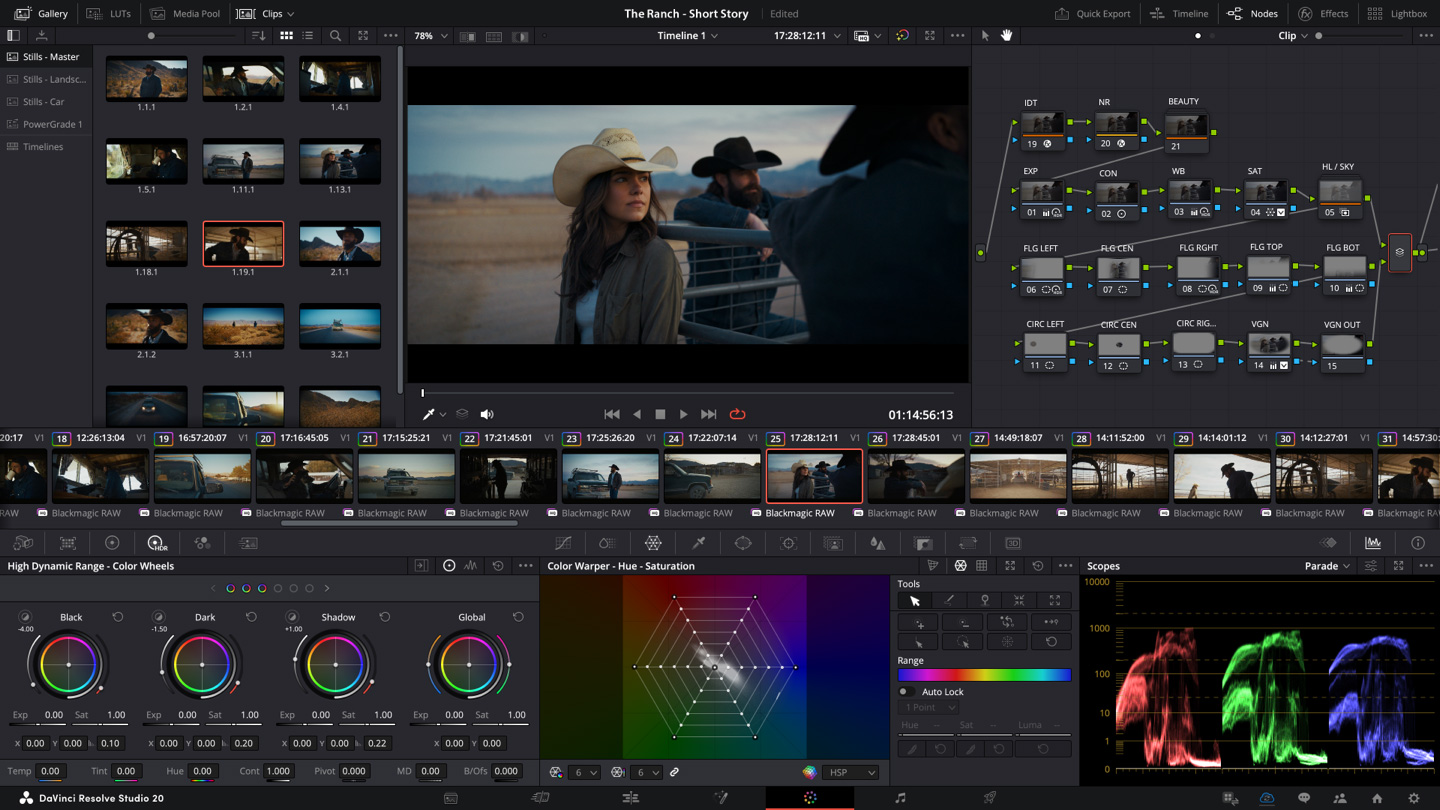
Davinci Resolve is mostly known for its color correction tools and capabilities. It’s a legend in the color grading space but at some point, Blackmagic started really investing in Resolve as a full video editing suite and the results have been impressive. We’re now at a point where Resolve is pretty much just as capable as its paid competitors, most commonly Adobe Premiere and Apple’s Final Cut Pro.
One great thing about free applications is that because they’re free, there’s a large user base downloading and using these applications, which usually means there’s a ton of tutorials and user-generated guides online. That’s also the case for Resolve. If you’ve never used professional video editing software before, jumping into Resolve can be a little overwhelming. Even with a long background using Final Cut and Premiere, I was a bit overwhelmed when I tried Resolve for the first time. But that’s where YouTube and thousands of tutorials come in handy. Want to learn the basic workflow and familiarize yourself with the UI? There’s a tutorial for that. Want to learn how to motion track objects or stabilize video? There’s a tutorial for that. Want to learn how to remove logos from your video? You guessed it, there’s a tutorial for that as well.
Besides the free version, there’s also Davinci Resolve Studio, a paid upgrade that brings you some features that are not included in the free version. The Studio version brings you DaVinci Neural Engine, dozens of additional Resolve FX, temporal and spatial noise reduction, stereoscopic 3D, film grain, optical blur and mist effects. It also supports 10‑bit video at up to 120 frames per second and resolutions beyond 4K.
The free version is more than enough for most people. Personally the only features from the Studio version I’ve ever needed are noise reduction and the ability to export videos that are larger than 4K. If you’re a professional who needs the Studio version, the $300 one-time price is more than reasonable for what you’re getting.
Best Free 3D Software
Blender, available on Windows, Mac and Linux
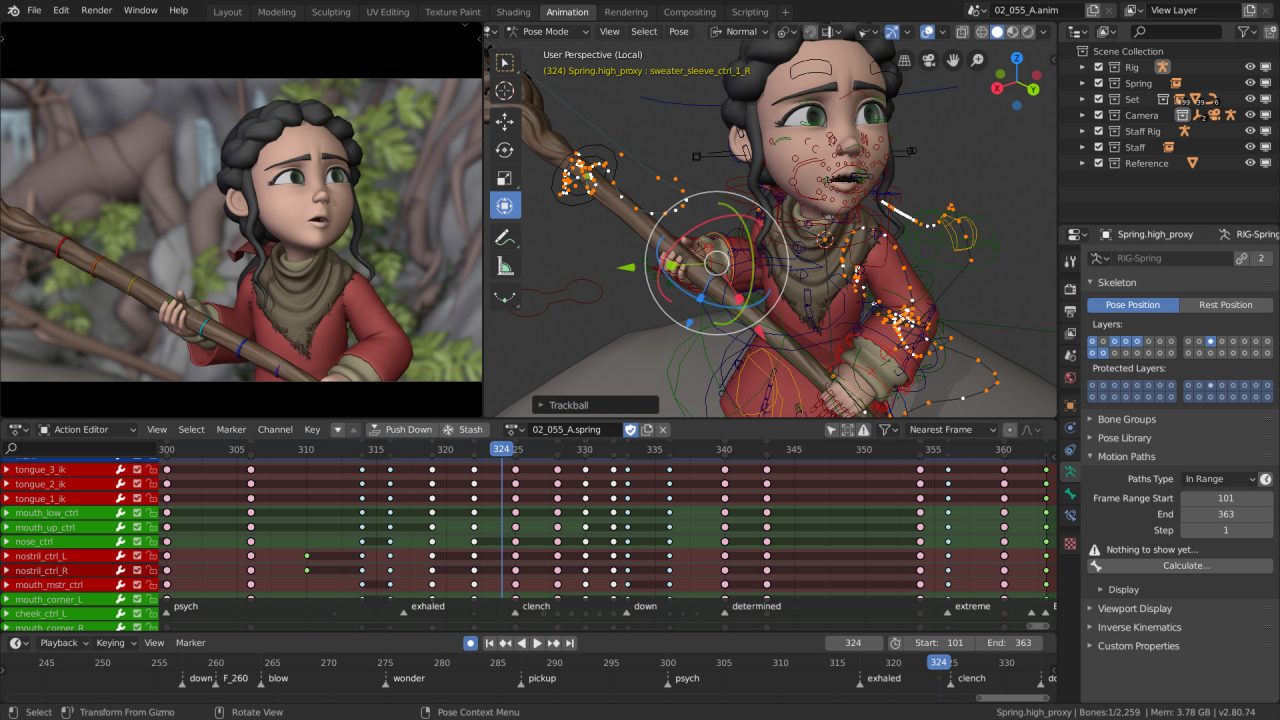
Blender is an open-source software used for 3D creation and it supports the entirety of the 3D pipeline: modeling, rigging, animation, simulation, rendering, compositing and motion tracking, even video editing and game creation. Just like Davinci Resolve, it is mind-blowing that something this powerful is available to anyone, free of charge.
Just to give you an example of what software like this can do, check out Big Buck Bunny. This film was made entirely in Blender back in 2008. It still looks amazing in 2024, but considering it was made over 15 years ago when the software was far from what it is today, using computers that are much slower than what we have today makes it even more impressive.
Blender has a rather steep learning curve. If you’re new to working with 3D, you probably won’t get far without help. But again, the great thing about free open-source applications is that there’s a massive user base creating tutorials and help articles for free.
If you’re interested in learning to use Blender I highly recommend checking out Blender Guru on YouTube. His donut tutorials are legendary and he always makes a new set of tutorials for each new version of Blender. I got started using Blender by watching his tutorials and they might just be the best tutorials I’ve ever seen – not just for 3D work but for any application out there. I went from zero experience to making this donut in a couple of days. It may not look like much but if you know how darn challenging 3D modeling can be, you’ll understand when I say I was slightly proud of my accomplishment.
Best Free Application For Writers
Grammarly Desktop – Available on Windows, Mac, iOS and Android
Grammarly was something I kept hearing about but never actually bothered to try it. My spelling and grammar are pretty good and I never felt the need to install any writing applications, plus I honestly didn’t know exactly what Grammarly does.
Everything changed when I used a website that had Grammarly integrated into its messaging feature. I started seeing suggestions from Grammarly on how to fix a typo or grammar error here and there, when to change my punctuation or reformat sentences to a better, more clear format. I quickly understood this was a massive help with any form of digital communication.
Grammarly has a browser plugin and a desktop version. The desktop version is where the real value is since it works across all your applications. Writing a resume in Microsoft Word? Grammarly helps you there. Writing an email? Blog post? Message to your mom? It’s active anywhere and everywhere you’re typing. And as much as I thought my grammar and spelling were better than average, I’m constantly finding small things to fix, thanks to Grammarly. It quickly became one of those applications that I have to install on any computer I use on a regular basis.
Best Free Livestreaming Application
OBS Studio – Available on Windows, Mac and Linux
Livestreaming used to be a niche market but every year it’s getting more and more popular. A lot of social media platforms are pushing their live stream features and encouraging users to go live, and although you can usually live stream from your smartphone without any additional hardware or software, every serious streamer reaches a point where they need more control over their live streams.
OBS Studio is a free and open-source software for video recording and live streaming. It allows you to use multiple camera sources and microphones in your live stream and incorporate video and still images into your live stream as well. It has transitions, an audio mixer, and everything a live production might need. If you’ve ever seen behind-the-scenes material from a TV broadcast where they have a control room and the director is cutting to different cameras, orchestrating the broadcast, this is a small-scale version of that. A free, small-scale broadcast tool that you can run on your laptop.
If that’s not too good to be free, I don’t know what is.
Best Free Media Player
VLC Media Player – Available on Windows, Mac, Linux, Android and iOS
VLC is a legend in its own category. It’s a free open-source media player that plays pretty much any file format you throw at it. I’ve worked in the video production space for a long time and I’ve come across some pretty funky formats. I don’t ever recall seeing a video that didn’t open in VLC player.
VLC’s UI is a little… outdated and rough. I honestly prefer Quicktime Player because it’s integrated so well into macOS, but I regularly run into situations where I get files that don’t work in QuickTime and that’s when VLC comes to the rescue. It’s nothing fancy but it simply just works, and it’s been the same way for as long as I can remember. They’ve done a good job keeping the app updated for new releases of macOS and I’m sure that’s also the case for Windows and Linux. Definitely a tool you’ll want to have in your back pocket.
When you purchase through links on our site, we may earn an affiliate commission at no extra cost to you. This helps us continue to create guides like this for our audience.
 Quick Tutorials
Leave a comment